 RSS Feed (xml)
  |  |
Receive Your Complimentary Guide NOW! "The Windows 7 Guide: From Newbies to Pros" The Proper Introduction to Windows 7 In this 46 page guide you will be introduced to Windows 7 and what it has to offer. This guide will go over the software compatible issues, you will learn about the new taskbar, how to use and customize Windows Aero, what Windows 7 Libraries are all about, what software is included in Windows 7, and how easy networking is with Windows 7 along with other topics. There is no disputing that Vista was poorly received. Vista made changes to the file system, user interface and other critical components of the operating system that were essential. Unfortunately, such changes meant that Vista had compatibility problems. The early days of Vista were plagued with complaints about peripherals that no longer worked because there were no Vista drivers available. Windows 7 has been released to address all of the above and more. The advice within this guide will help new users become acquainted with Windows 7 and can also help those who are on the fence about purchasing Windows 7 decide if it would be a good idea. Also with this free guide you will also receive daily updates on new cool websites and programs in your email for free courtesy of MakeUseOf. Offered Free by: Makeuseof.com Other Resources from: Makeuseof.com | |
Showing posts with label windows. Show all posts
Showing posts with label windows. Show all posts
Friday, August 19, 2011
The Windows 7 Guide: From Newbies to Pros

Windows Server Administration Fundamentals- Microsoft Official Academic Course

Microsoft Official Academic Course, "98-365: Windows Server Administration Fundamentals "
W..ey | 2011 | ISBN: 0470901829 | 240 pages | PDF | 10,7 MB
W..ey | 2011 | ISBN: 0470901829 | 240 pages | PDF | 10,7 MB
Students who are beginning studies in technology need a strong foundation in the basics before moving on to more advanced technology courses and certification programs. The Microsoft Technology Associate (MTA) is a new and innovative certification track designed to provide a pathway for future success in technology courses and careers. The MTA program curriculum helps instructors teach and validate fundamental technology concepts and provides students with a foundation for their careers as well as the confidence they need to succeed in advanced studies. Through the use of MOAC MTA titles you can help ensure your students future success in and out of the classroom. Server fundamentals such as managing Windows Servers (including virtualization) and storage, along with monitoring and troubleshooting servers are included. It also covers such topics as essential naming, directory, and print services. Students also learn of popular Windows Network Services and Applications.
Download
Sunday, July 20, 2008
Windows Vista Home Networking

Windows Vista: Home Networking (c) by Micro$oft Press
The type of the release is: eBook
In the CHM format with ISBN: 073562500X and Pub Date: October 17, 2007
The size of the release is: 07 disks x 2.88mb
And released on: 03/10/2008
With more than one Windows Vistabased PC in your home, and all of your
digital memories, music and media, and other data stored on one
computer, you know that its time to connect your home with a simple home
network. Youll get the straightforward, approachable information you
need (without the jargon!) to find what kind of network is right for you
and get started setting up, configuring, and maintaining your local area
network (LAN), wireless network, or remote network. Easy-to-follow
procedures teach you how to help secure your network with firewalls and
Windows Defender, plus control what your family can do online with
parental controls. Youll even start to explore the advantages of Windows
Home Server, including how to back up all of your precious data.
http://www.amazon.com/exec/obidos/tg/detail/-/073562500X/
Download:
Monday, July 14, 2008
Understanding Windows CardSpace

The type of the release is: eBook
In the PDF format with ISBN: 0321496841 and Pub Date: January 06, 2008
The size of the release is: 02 disks x 2.88mb
And released on: 04/06/2008
Windows CardSpace empowers organizations to prevent identity theft and
systematically address a broad spectrum of security and privacy
challenges. Understanding Windows CardSpaceis the first insider抯 guide
to Windows CardSpace and the broader topic of identity management for
technical and business professionals. Drawing on the authors?
unparalleled experience earned by working with the CardSpace product
team and by implementing state-of-the-art CardSpace-based systems at
leading enterprises, it offers unprecedented insight into the realities
of identity management: from planning and design through deployment.
Part I introduces the fundamental concepts of user-centered identity
management, explains the context in which Windows CardSpace operates,
and reviews the problems CardSpace aims to solve. Next, the authors walk
through CardSpace from a technical standpoint, describing its
technologies, elements, artifacts, operations and development practices,
and usage scenarios. Finally, they carefully review the design and
business considerations associated with architecting solutions based on
CardSpace or any other user-centered identity management
system. Coverage includes
- The limitations of current approaches to authentication and identity
management
- Detailed information on advanced Web services
- The Identity Metasystem, the laws of identity, and the ideal
authentication system
- Windows CardSpace: What it is, how it works, and how developers and
managers can use it in their organizations
- CardSpace technology: user experience, Information Cards, private
desktops, and integration with .NET 3.5 and Windows Vista
- CardSpace implementation: from HTML integration through federation,
Web services integration, and beyond
- Adding personal card support to a website: a detailed,
scenario-based explanation
- Choosing or becoming an identity provider: opportunities, business
impacts, operational issues, and pitfalls to avoid
- Using CardSpace to leverage trust relationships and overcome
phishing
Whether you抮e a developer, security specialist, or business
decision-maker, this book will answer your most crucial questions about
identity management, so you can protect everything that matters: your
people, your assets, your partners, and your customers.
http://www.amazon.com/exec/obidos/tg/detail/-/0321496841/
Download:
Wednesday, May 28, 2008
Moving to Microsoft Windows Vista: Visual QuickProject Guide

Description
If you want to get to know Windows Vista fast but don't want to get bogged down in the details, you need a Visual QuickProject Guide!
- You don't need to know every feature--you just want to get your work done.
- Full-color illustrations show you how to perform each step of your project from start to finish.
- Low priced--why pay for more than you need?
- John Rizzo has been writing about computers for 20 years. His work has appeared in CNET, eWeek.com, the San Francisco Chronicle, PC Magazine, and other publications. John is the author of numerous books, including Customizing Windows XP: Visual QuickProject Guide. He also publishes MacWindows.com, a news and information Web site devoted to helping Mac users get along in a Windows world.
About the Author
John Rizzo is the author of Customizing Windows XP: Visual QuickProject Guide and a consultant specializing in Windows and Macintosh networking and integration. He runs the MacWindows.com Web site and writes for eWeek.com. He also authored the best selling How Macs Work and was a contributor to How Computers Work by Ron White.
Download link
Microsoft Windows Vista On Demand

Description
Microsoft Windows Vista On Demand, Second Edition
FOR THOSE WHO WOULD RATHER BE SHOWN HOW THAN TOLD HOW
SEE HOW TO
• Master the Windows Vista user experience, including Windows Aero
• Manage files and information using Windows Vista programs and Sidebar gadgets
• Create your own movies, slides shows, and DVDs
• Rip, manage, and play digital music and videos
• Protect your computer from Internet or network intruders
• Explore the Internet, send e-mail and instant message, and publish calendars on the Web
• Customize, fine-tune, and administer Windows Vista
• Set up multiple users and parental controls
• Perform Instant Searches to quickly find files and programs
• Prepare for the Microsoft Certified Application Specialist exam
On the Web
This book uses real-world examples to give you a context in which to use the tasks. This book also includes workshops to help you put together individual tasks into projects. The Windows Vista example files that you need for project tasks are available at www.perspection.com.
Perspection has written and produced books on a variety of computer software–including Microsoft Office 2007 and 2003, Microsoft Windows Vista and XP, Microsoft Expression Web, Apple Mac OS X Leopard, Adobe Photoshop CS3 and CS2, Adobe Flash CS3 and 8, and Adobe Dreamweaver CS3. In 1991, after working for Apple Computer and Microsoft, Steve Johnson founded Perspection, Inc. Perspection is committed to providing information and training to help people use software more effectively. Perspection has written more than 80 computer books, and sold more than 5 million copies.
Includes MCAS Exam Objectives!
This courseware meets the objectives for the Microsoft Certified Application Specialist (MCAS). Upon completion of this courseware, you may be prepared to take the exam for MCAS qualification. To learn more about becoming a Microsoft Certified Application Specialist, visit www.microsoft.com.
How Microsoft Windows Vista Works

Description
Windows Vista is the long-awaited upgrade to the Microsoft Windows operating system, and it's a lot different from the Windows you're used to. What's new in Windows Vista–and how do all those new features work?
How Microsoft Windows Vista Works is the first book to take you inside the new Windows Vista operating system and show you how all the pieces and parts work. With clear and simple explanations and illustrations that say, "You, too, can understand this," How Microsoft Windows Vista Works gives you detailed information on the hidden workings of Windows Vista–from the new Aero interface inside to the Windows kernel. It's a four-color, highly visual explanation of everything that matters about Windows Vista, including:
- How Windows Vista differs from Windows XP
- How Windows controls your computer
- How User Account Control protects your system
- How virtual folders and instant search work
- How Windows Vista renders graphics
- How the Aero interface and the Windows Sidebar work
- How Internet Explorer 7's tabbed browsing works
- How Windows connects to a wireless network
- How the new Windows Photo Gallery manages your digital photos
Contents
Introduction xi
Part I: What Windows Vista Is–and What It Does 2
Chapter 1 Understanding Windows and Other Operating Systems 6
Chapter 2 How Windows Vista Differs from Windows XP 14
Chapter 3 What Windows Vista Does 26
Part II: Basic Operations 32
Chapter 4 Powering On and Powering Off 36
Chapter 5 Managing System Resources 48
Chapter 6 Managing System Information 62
Chapter 7 Managing Users 70
Chapter 8 Managing Data 76
Chapter 9 Managing Applications 92
Part III: Windows Vista Graphics 100
Chapter 10 Understanding Vista Graphics 104
Chapter 11 The Vista Interface 112
Chapter 12 The Vista Desktop 122
Part IV: Digital Media 130
Chapter 13 Windows Media Center 134
Chapter 14 Digital Music 150
Chapter 15 Digital Images 166
Chapter 16 Digital Video and Movies 174
Part V: Networking and the Internet 182
Chapter 17 Windows Vista and the Internet 186
Chapter 18 Windows Vista Networks 204
Part VI: Security and Maintenance 220
Chapter 19 Windows Vista Security Features 224
Chapter 20 Routine Maintenance 238
Glossary 252
Index 266
Wednesday, May 7, 2008

 Download
Wednesday, April 16, 2008
E-Book : Tricks of the Microsoft: Windows Vista Masters

All over the world, Windows gurus have been working overtime to uncover the hottest new Windows Vista tips, tricks, and tweaks. Now, J. Peter Bruzzese has collected all their best discoveries in one place: Tricks of the Microsoft Windows VistaTM Masters!
Bruzzese has interviewed top Windows professionals, instructors, and power users; scoured the Web (so you won’t have to); and rigorously tested every single tip. Only the most valuable tips tecnhiques and tips made the cut to improve your efficiency, take total control of your digital media and data; use Internet Explorer 7, Windows Mail, and Calendar; configure Windows Defender and Firewall; avoid, troubleshoot, and fix problems; make Windows Vista work better, faster, smarter, safer, and more fun too!
Introduction:
1 General Tips and Tricks of the Masters
2 Mastering the Control Panel
3 Mastering Administration
4 Security Enhancements
5 Disk Configuration and Volume Tricks
6 Office 2007 Tricks for Vista Masters
7 Master Vista Networking
8 System Recovery and Diagnostic Tricks
9 Mastering the New Vista Apps
10 Group Policy Power
Download:
Monday, April 14, 2008
E-book : Microsoft Windows Vista Administration

Your Hands-On Microsoft Windows Vista Administration GuideSet up and manage Windows Vista in the enterprise using the detailed information contained in this authoritative resource. Microsoft Windows Vista Administration shows you how to leverage Vista's powerful new productivity, security, and management tools to give your business the competitive edge. Inside, you'll learn to design and implement Windows Vista installation and migration plans, create network connections, configure Internet services, and utilize Vista's remote access features. You'll also learn to secure your Windows Vista environment, proactively prevent performance problems, and tune Vista PCs.
Plan and execute enterprise Windows Vista installations and migrations Implement Vista's next-generation TCP/IP and DNS features Connect to and navigate wired and wireless networks Enable enterprise-wide collaboration and communication Configure Remote Assistance and Remote Desktop Create and manage users, accounts, privileges, rights, and permissions Secure Vista PCs and networks Customize and use Internet Explorer 7 and Internet Information Server 7 Set up and configure Vista on mobile devices, laptops, and tablet PCs Monitor, tune, and troubleshoot Vista machines.
Plan and execute enterprise Windows Vista installations and migrations Implement Vista's next-generation TCP/IP and DNS features Connect to and navigate wired and wireless networks Enable enterprise-wide collaboration and communication Configure Remote Assistance and Remote Desktop Create and manage users, accounts, privileges, rights, and permissions Secure Vista PCs and networks Customize and use Internet Explorer 7 and Internet Information Server 7 Set up and configure Vista on mobile devices, laptops, and tablet PCs Monitor, tune, and troubleshoot Vista machines.
E-book : Windows XP Hacks And Mods For Dummies

Book Description:
Ever feel as though Windows XP was running YOU, instead of the other way around? Maybe it's time to show Windows who's boss. Make it run YOUR way. Get rid of the stuff that doesn't help you do what you want to do. Soup up security so you're better protected against spyware and other nasties. Find things faster with more efficient searches. Woody Leonhard shows you exactly how to do it in Windows XP Hacks & Mods For Dummies.Hacks? Mods? Don't be frightened — this book walks you through each and every one, and even steers you clear of well-known hacks that don't really accomplish anything. See how some simple tools can help you take control and create settings you can actually use, shortcuts that simplify your life, security measures that really work, and lots more.Don't let the word "hack" intimidate you. Woody walks you through every suggested adjustment step by step. He even provides plenty of explanation about what's involved and what tools you need. Windows XP Hacks & Mods For Dummies even gives you a convenient list of common hacks you should avoid because they don’t accomplish much. You'll discover how to:
* Eliminate the annoying features that came pre-installed on your PC* Speed up your system performance
* Pin programs, folders, files, and Web pages so they appear on your Start menu
* Launch applications more quickly
* Boost the performance of your favorite games
* Get the most from your iPod and Windows Media Player
* Navigate peer-to-peer file sharing safely
* Find free virus protectionIn the fun and friendly Dummies style, Woody Leonhard gives you tons of helpful advice to make your relationship with Windows XP a lot more rewarding.From the Back CoverMake Windows XP look, feel, and act the way you wantSimplify searches, find free virus protection, and make Windows love your iPodDiscover how to
* Remove features you never use* Speed up system performance
* Launch applications more quickly* Fight spyware more effectively* Get peak performance from your XP games
Saturday, April 5, 2008
Microsoft Windows Vista: Mastering the Vista User Experience

You have Microsoft Windows Vista…now get the most out of it, faster and more easily than ever before! J. Peter Bruzzese shows you how to maximize your Vista productivity and fun with 100 quick video lessons.
Learn Vista’s most powerful features and techniques visually: just watch! You’ll master Vista at your own pace–and get specific answers and solutions immediately, whenever you need them!
These practical videos cover Vista’s new Aero user interface, security, networking, Internet Explorer 7, Windows Media Player 11, Windows Media Center, mobile computing, administration, backup/recovery, troubleshooting, and plenty more!
For anyone who wants to master Microsoft Windows Vista fast–from novices to experienced “power users” and administrators!
Looking for a better way to master today’s rapidly changing technologies? Want expert help, but don’t have the time or energy to read a book? Can’t find classroom training worth the money? Discover LiveLessons: self-paced, personal video instruction from the world’s leading experts.LiveLessons is an eight-hour video course organized into bite-sized, self-contained sessions–you’ll learn key skills in as little as five minutes!Each session begins with well-defined learning objectives and ends with comprehensive summaries, which help you track your progress.Follow along as your instructor shows exactly how to get great results in your real-world environment.
Expert Windows author and trainer J. Peter Bruzzese presents easy, practical video introductions to Vista’s most powerful new capabilities: everything from Aero to Windows Media Center, security to advanced administration! Click play to follow along as Bruzzese walks you through Vista’s most important new features…all you need to do is watch!
http://rapidshare.com/files/96651788/big37787.7z.001
http://rapidshare.com/files/96654998/big37787.7z.002
http://rapidshare.com/files/96658233/big37787.7z.003
http://rapidshare.com/files/96661830/big37787.7z.004
http://rapidshare.com/files/96665418/big37787.7z.005
http://rapidshare.com/files/96863244/big37787.7z.006
http://rapidshare.com/files/96866958/big37787.7z.007
http://rapidshare.com/files/96870275/big37787.7z.008
Learn Vista’s most powerful features and techniques visually: just watch! You’ll master Vista at your own pace–and get specific answers and solutions immediately, whenever you need them!
These practical videos cover Vista’s new Aero user interface, security, networking, Internet Explorer 7, Windows Media Player 11, Windows Media Center, mobile computing, administration, backup/recovery, troubleshooting, and plenty more!
For anyone who wants to master Microsoft Windows Vista fast–from novices to experienced “power users” and administrators!
Looking for a better way to master today’s rapidly changing technologies? Want expert help, but don’t have the time or energy to read a book? Can’t find classroom training worth the money? Discover LiveLessons: self-paced, personal video instruction from the world’s leading experts.LiveLessons is an eight-hour video course organized into bite-sized, self-contained sessions–you’ll learn key skills in as little as five minutes!Each session begins with well-defined learning objectives and ends with comprehensive summaries, which help you track your progress.Follow along as your instructor shows exactly how to get great results in your real-world environment.
Expert Windows author and trainer J. Peter Bruzzese presents easy, practical video introductions to Vista’s most powerful new capabilities: everything from Aero to Windows Media Center, security to advanced administration! Click play to follow along as Bruzzese walks you through Vista’s most important new features…all you need to do is watch!
http://rapidshare.com/files/96651788/big37787.7z.001
http://rapidshare.com/files/96654998/big37787.7z.002
http://rapidshare.com/files/96658233/big37787.7z.003
http://rapidshare.com/files/96661830/big37787.7z.004
http://rapidshare.com/files/96665418/big37787.7z.005
http://rapidshare.com/files/96863244/big37787.7z.006
http://rapidshare.com/files/96866958/big37787.7z.007
http://rapidshare.com/files/96870275/big37787.7z.008
packed with 7z in 8 files (8 * 100 MB)
password : bigthing
Wednesday, April 2, 2008
Networking with Microsoft Windows Vista: Your Guide to Easy and Secure Windows Vista Networking

Book Description
Your Guide to Easy and Secure Windows Vista Networking is a complete beginner’s guide to creating, configuring, administering, and using a small network using Windows Vista computers. Inside you’ll find comprehensive coverage of networking hardware, including Ethernet (wired) hardware (from NICs to cables to switches to routers) and wireless Hardware--from wireless NICs to access points to range extenders.
We include handy “buyer’s guides” that tell you how to make smart choices when purchasing network hardware. With hardware in hand, we then show you how to roll up your shirtsleeves and put everything together, including configuring a router, laying cable, and connecting the devices. Next, we then show you how to wrangle with Windows Vista’s networking features. These techniques include using the Network and Sharing Center, managing wired and wireless connections, accessing shared network resources, sharing local resources on the network, and working with network files offline. And if you are a music and video aficionado, we’ve got you covered with a special chapter that shows you just how to set up a networked Vista PC as your digital media hub!
No networking book would be complete without extensive coverage of security issues that affect anyone connected to the Internet. We show you how to secure each computer, secure your global networking settings, and batten down your wireless connections. The last part of the book includes intermediate networking tasks such as
making remote connections, monitoring the network, troubleshooting network problems, and setting up Vista’s built-in web server and FTP server.
• No longer is networking a topic that only geeks need to understand.
If you have even one computer on the Internet or if you use wireless
in your home or office, you need this book!
• Extensive hardware coverage that shows you what equipment to
buy and how to set it up!
• Easy to follow buyer’s guides that enable anyone to make smart
and informed choices when purchasing networking hardware.
• Complete and comprehensive coverage of Windows Vista’s
networking features.
• Thwart hackers, crackers, thieves and other Internet malefactors
by following our easy to understand chapters on security!
• Loaded with tips, tricks, and shortcuts to make networking easier
and more secure.
• Chock full of real-world examples and network configurations that
you can put to work today!

Download link
Monday, March 31, 2008
Pro VB 2008 and the .NET 3.5 Platform, Third Edition (Windows.Net)

Description
Whether you’re moving to .NET for the first time, or you’re already writing applications on .NET 2.0 or .NET 3.0, Pro VB 2008 and the .NET 3.5 Platform, Third Edition will provide you with a solid grounding in this new technology and serve as a comprehensive reference throughout your coding career:
Explore five new chapters of content—including the grammar of the common intermediate language (CIL), .NET generics, and object serialization services.
Discover all the new .NET 3.5 features—nullable types, delegate covariance, ASP.NET 2.0 master pages, the new Windows Forms “Strip” controls, and much more.
Get a professional foothold—targeted to appeal to experienced software professionals and/or graduate students of computer science (so don’t expect three chapters on iteration or decision constructs!).
Gain a rock–solid foundation in programming using Visual Basic.
Get comfortable with all the core aspects of the .NET platform—including assemblies, remoting, Windows Forms, Web Forms, ADO.NET, XML web services, and much more.
Once you’ve digested the information contained in the 25 chapters of this 1000+ page book, you’ll be ready to apply this knowledge to your specific programming assignments and well equipped to explore the .NET universe on your own.
What you’ll learn
Everything you need to put .NET 3.5 and Visual Basic 2008 to use in your professional workbefore anyone else!
Insights and techniques from the author’s experience since .NET 1.0
Complete coverage of .NET 3.5—WPF, WCF and WF
Who is this book for?
Anyone with some software development experience interested in the new .NET 3.5 Platform and the Visual Basic language. Whether you’re moving to .NET for the first time or you’re already writing applications on .NET 2.0 or .NET 3.0, this book will provide you with a solid grounding in this new technology and serve as a comprehensive reference throughout your coding career.
Related Titles
Beginning VB 2008 Databases: From Novice to Professional
Beginning ASP.NET 3.5 in VB 2008: From Novice to Professional
Visual Basic 2008 Recipes: A Problem-Solution Approach
Pro WPF in VB 2008: Windows Presentation Foundation in .NET 3.5
About the Apress Pro Series
You have gotten the job; now you need to hone your skills in these tough competitive times. The Apress Pro series expands your skills and expertise in exactly the areas you need. Master the content of a Pro book, and you will always be able to get the job done in a professional development project. Written by experts in their field, Pro series books from Apress give you the hard-won solutions to problems you will face in your professional programming career.
Download linkTuesday, March 18, 2008
Windows Server 2008: A Beginner's Guide

Book Description
Get up and running on Microsoft Windows Server 2008 with ease
Get up and running on Microsoft Windows Server 2008 with ease
This hands-on guide covers all the essentials of deploying and administering the latest release of Microsoft's powerful, versatile network operating system. Using clear screenshots and step-by-step instructions, Microsoft Windows Server 2008: A Beginner's Guide shows you how to set up the server, migrate from earlier versions, and handle networking, administration, storage, and security. You'll also get details on the new Web tools and management utilities available in Windows Server 2008.
- Install, configure, and deploy Windows Server 2008
- Set up and manage a network
- Work with Active Directory and Domains
- Set up communications features and an Internet connection
- Install, customize, and maintain Internet Information Services (IIS) 7
- Configure a VPN server and client
- Set up Terminal Services and Remote Desktop
- Manage storage and file systems
- Secure your Windows Server environment
- Set up and manage printing and faxing
- Use the built-in management tools, including Server Manager and group policies
Administering Windows Server 2008 Server Core
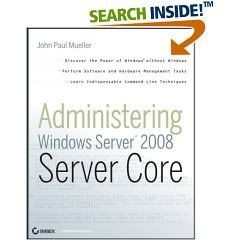
Book Description
Microsoft's new GUI-less Server Core is a command line version of Windows Server 2008 that offers better security, reduced size, and faster access. Inside this comprehensive guide, you'll find everything you need to quickly master this sleek new version. Packed with instructions and practical examples, this book teaches you how to operate in a windowless environment, including using all the commands, creating BAT files, working with scripts, using registry hacks, managing remote systems, and more. Includes best practices, 52 indispensable command line tricks, and an alphabetical list of all the commands.
From the Back Cover
Manage Windows in a new way
If you're a systems administrator looking to reduce maintenance and increase efficiency, Microsoft's new GUI-less Server Core is for you. It's Windows without windows-a command line version of Windows Server 2008 that offers better security, reduced size, and faster access. Inside this comprehensive guide, you'll find everything you need to quickly master this sleek, innovative version of Windows Server 2008.
Packed with step-by-step instructions and page after page of practical examples, this book teaches you how to operate in a windowless environment, including using all the commands, creating BAT files, working with scripts, using registry hacks, managing remote systems, and more.
- Install and configure Server Core without a Control Panel or Start menu
- Access DLLs using RunDLL32 to perform tasks at the command line
- Understand important differences between internal and external commands
- Set up automatic updates, enable terminal services, and configure IP security
- Change logons, ports, and users with the Change Utility
- Install and manage software, hardware, servers, and applications
- Add, copy, modify, sort, compress, encrypt, and transfer data
- Manage files and directories, including such tasks as disk checks and changing access
- Monitor system events and remote systems, and communicate with TelNet
- Set up virus and intrusion protection, verify drivers, and check Event Trace logs
This valuable desktop reference also includes best practices, 52 indispensable command line tricks, and an alphabetical list of all the commands.
Sunday, March 16, 2008
Windows Vista Annoyances: Tips, Secrets, and Hacks

Book Description
Windows Vista may be the next big thing, but it still contains enough quirks and unaccountable behaviors to vex anyone. This unique guide not only discusses the most irritating features of the latest Microsoft operating system and how to get around them, but also explains how to improve Windows and do more with the software than Microsoft intended. You'll find information on setup, installation, upgrade from other Windows versions, the revamped interface, new security features, user accounts, troubleshooting, and the markedly improved Internet Explorer 7. Other chapters cover a wide range of key topics: Media Center - tips on photos, videos, music, TV tuners, HD, and the media center engine The Registry - explains the background and tools for working with Windows' database of settings Tinkering Techniques - offers hacking-style customization and problem-solving topics Networking and Wireless - includes LAN setup, WiFi sniffers and access points, connection sharing, firewalls, routers, and FTP Scripting and Automation - introduces simple programming using the Windows Scripting Host for automating repetitive tasks No other book takes our patented cranky, solutions-oriented approach. Our collection of tips, tools and techniques will improve your experience with Windows Vista, so you can control the OS -- rather than the other way around.
Saturday, March 15, 2008
How to Do Everything with Windows XP

Book Description
Take advantage of the power, stability, and user-friendliness of one of the most popular operating systems ever. Learn about basic system features that will enable you to use your computer effectively and efficiently. Access the Control Panel and customize settings, use mouse and keyboard buttons, operate and maintain hardware, use all the software properly
Microsoft Windows Vista Management and Administration

- Book Description
This book will show administrators how to manage and administer the advanced functions and security features in Windows Vista. The recommendations, tips, tricks, and best practices are based on years of early-adopter implementations of Windows Vista in large corporate and private environments. The authors highlight the functions of Windows Vista that both large and small environments have found to be the most useful, including all-new features such as Complete PC Backup, BitLocker, and the powerful Group Policy options that are only available in Windows Vista.
Understand how to…- Integrate Windows Vista into an Active Directory domain
- Properly protect information for local and remote users
- Utilize BitLocker to encrypt all the data on a disk
- Properly secure a Windows Vista system
- Enable self-service recovery with Shadow Copy
- Deploy Windows Vista systems without having to touch them
- Deploy powerful new Group Policy settings
- Pick the version of Vista that is right for your users
- Optimize Vista performance
- Securely access corporate information while offline
- Perform image-level backup and restore of Vista workstations
Andrew Abbate is a consultant in and best-selling author on various Microsoft technologies and security and operational practices.
James Walker, MCSE, CPM, BSME, has been a consultant, author, and technical editor to several best-selling Windows Unleashed books involving design, security, performance optimization, and data communications.
Scott G. Chimner, CISSP, MCSE, MCSA, TCSE 2, A+, is a consultant for Convergent Computing, an ISSA member, and has been in the computer industry for more than 12 years with a concentration on Information Security. Scott has also served as a contributing writer for several books on Microsoft technologies.
Download link
Subscribe to:
Posts (Atom)

